
How to Clean Your Phone and Keyboard Safely Without Damage
cyrojii.pro >> Cleaning>>Phone>> How to Clean Your Phone and Keyboard Safely Without Damage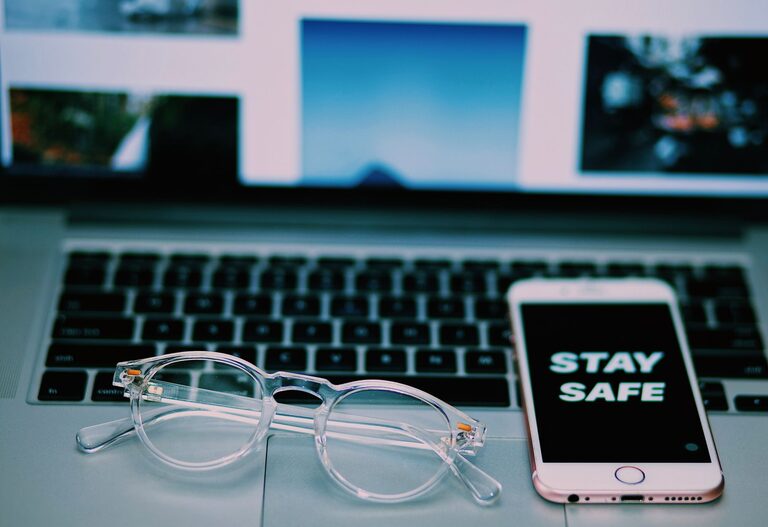
How to Clean Your Phone and Keyboard Safely Without Damage
Keeping your phone and keyboard clean is important not only for hygiene but also for maintaining their performance and longevity. These devices go through constant use and can accumulate dust, oils, and germs over time. However, cleaning them requires care to avoid damage. This guide will walk you through safe, effective ways to clean your phone and keyboard.
Why Clean Your Phone and Keyboard?
Phones and keyboards are two of the most frequently touched devices, making them hotspots for bacteria and dirt. Regular cleaning can:
– Prevent buildup of grime and dust
– Reduce the spread of germs and allergens
– Improve device functionality (e.g., better key response)
– Extend the life of your gadgets
General Tips Before You Begin
Before you start cleaning:
– Turn off your device. Always power down your phone or keyboard and unplug any wired keyboards.
– Remove cables and accessories. Detach charging cords, headphone jacks, and cases.
– Use the right materials. Avoid harsh chemicals or abrasive cloths.
– Be gentle. Electronics are sensitive to moisture and pressure.
How to Clean Your Phone Safely
Phones require special attention because of their screens and delicate components.
What You’ll Need:
– A microfiber cloth (lint-free and soft)
– Distilled water or screen-safe cleaning solution
– Cotton swabs
– Isopropyl alcohol (70% concentration or less)
– A small soft brush (optional)
Cleaning Steps:
- **Remove your phone case.** Clean the case separately using warm soapy water and let it dry fully.
- **Wipe the screen and body.** Lightly dampen a microfiber cloth with distilled water or a screen-safe cleaning spray. Gently wipe the screen and back surface without letting moisture seep into openings.
- **Disinfect with alcohol.** Use a microfiber cloth slightly dampened with 70% isopropyl alcohol to gently disinfect the surfaces. Avoid pouring or spraying liquid directly on the device.
- **Clean ports and crevices.** Use a dry cotton swab or soft brush to remove dust from charging ports, speaker grills, and buttons.
- **Dry thoroughly.** Make sure your phone is completely dry before powering it back on or putting the case back on.
Tips:
– Avoid using bleach, window cleaners, or household cleaning products.
– Don’t use paper towels, as they can scratch the screen.
– Clean your phone regularly, especially after being in public places.
How to Clean Your Keyboard Safely
Keyboards, whether wired or wireless, accumulate dust, food particles, and oils from fingers.
What You’ll Need:
– Compressed air can or a small soft brush
– Microfiber cloth
– Isopropyl alcohol (70% or less)
– Cotton swabs
– Mild soapy water (for keycaps, if removable)
Cleaning Steps:
- **Unplug or turn off your keyboard.** Disconnect from your computer or power source.
- **Remove loose debris.** Hold the keyboard upside down and gently shake or tap to release crumbs. Use compressed air or a soft brush to clean between keys.
- **Wipe the surface.** Dampen a microfiber cloth with isopropyl alcohol and gently clean the keys and keyboard surface. Avoid excess moisture.
- **Clean between keys.** Use cotton swabs dipped in alcohol (wring out excess liquid) to clean narrow spaces and around edges.
- **(Optional) Remove keycaps.** For mechanical keyboards or ones with removable keys, take off keycaps to clean them separately in warm soapy water. Make sure they are completely dry before reattaching.
- **Dry and reassemble.** Ensure the keyboard is dry before plugging it back in or turning it on.
Tips:
– Avoid spraying liquids directly onto the keyboard.
– Regularly clean your keyboard to maintain hygiene and function.
– For wireless keyboards, clean batteries and charging contacts occasionally.
Additional Do’s and Don’ts
| Do’s | Don’ts |
|————————————-|——————————————|
| Use a soft, lint-free cloth | Use abrasive materials like paper towels |
| Use minimal moisture | Spray liquids directly on devices |
| Turn off and unplug devices before cleaning | Use bleach or harsh chemical cleaners |
| Clean regularly to prevent buildup | Immerse your phone or keyboard in water |
Conclusion
Cleaning your phone and keyboard safely is straightforward with the right approach. Keeping these devices clean helps prevent germ buildup and keeps them functioning properly. By following the simple methods outlined here, you can protect your electronics while maintaining a healthy environment at your workspace or on the go.
Remember to clean your devices on a regular schedule and use gentle, device-friendly materials. A little care goes a long way to preserve your gadgets and promote better hygiene.